How to transfer funds between landing and trading accounts
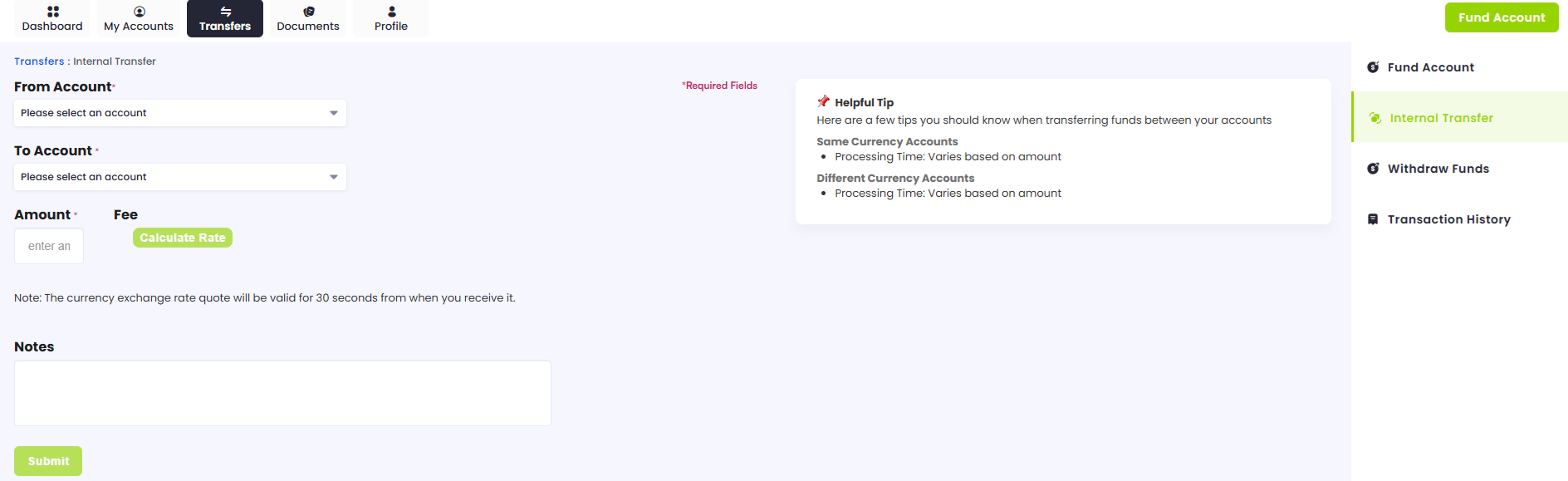
After you configure your account, you can transfer funds between your landing and trading accounts. To do that, follow these steps:
-
Log in to the OANDA Portal.
-
Click on TRANSFERS in the top-left corner.

-
Click on Internal Transfer on the right side.

-
Select the desired accounts via the drop-down menu under the From Account and To Account fields.
-
Enter the amount you want to transfer and any notes (if required). Then, click on Submit.